Message Playback
When you tap a message in the Inbox, the message appears in the playback screen.
Voice Messages
The message will play automatically. If you are subscribed to Premium service, the transcription appears below the playback screen.
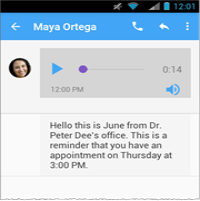
Use the playback controls to play or pause the message, to move to a specific location in the message, and to switch between speaker mode and handset mode.

The message playback screen has the following actions:
●  — Return to the Inbox.
●
 — Call the sender.
●
 — Reply with a message.
●
 — Use the overflow menu to share, delete or archive the message.
Note: Share to Facebook is available as long as the messages have been transcribed using the Premium service.
Avatar Messages
To play the message tap the avatar. The avatar message will open in a new window and start playing.
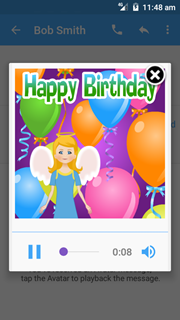
After you have listened to the message, tap  to close the window.
The playback controls and actions are similar to the ones described above for the voice messages.